
Facility features
- Display each variation in a separate row in the table. The variations can belong to single or multiple variable products.
- Select specific variations by SKU and show them in a product table, even if they belong to different variable products.
- Control the order of the variations in the product table.
- Check variation table doc on how to automatically show on variable product pages
Demo
Filters Sort results
Reset Apply
Image | Variation SKU | Color | Material | Availability | Price | Qty | Add to cart | Total | ||
|---|---|---|---|---|---|---|---|---|---|---|
 | Blue | Cotton | In stock | $20 | $0 $0 | |||||
| Blue | Wool | Only 2 left | $15$20 | $0 $0 | |||||
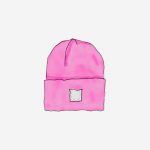 | Pink | Cotton | In stock | $30 | $0 $0 | |||||
| Pink | Wool | In stock | $20 | $0 $0 | |||||
 | Purple | Cotton | In stock | $20$30 | $0 $0 | |||||
| Purple | Wool | In stock | $10$20 | $0 $0 | |||||
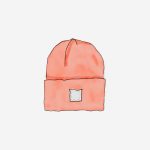 | Red | Cotton | In stock | $20 | $0 $0 | |||||
| Red | Wool | In stock | $10 | $0 $0 | |||||
 | Yellow | Cotton | In stock | $10$20 | $0 $0 | |||||
| Yellow | Wool | In stock | $20 | $0 $0 |
How to use
- First please follow the plugin tutorials for a quick overview on how to create product tables. These tutorials are specially designed to help you get the most out of the plugin in the least time.
- After that please refer to the variation table doc for simple instructions on how to use the variation table facility included in WCPT PRO.
- If you have any questions during the process, please feel free to contact support.